2026 Guide to Digital Photo & Video Organization

Anúncios
Effectively managing your growing collection of digital photos and videos in 2026 requires implementing robust organization strategies to ensure easy access, long-term preservation, and enjoyment of your cherished memories.
Anúncios
In an era where every smartphone is a high-definition camera, the sheer volume of digital photos and videos we accumulate can be overwhelming. This digital photo organization 2026 guide offers practical solutions and best practices to help you navigate the complexities of archiving and managing thousands of precious memories, ensuring they are accessible and preserved for years to come.
Understanding the Digital Deluge: Why Organization Matters
The explosion of digital content has brought immense joy, allowing us to capture every moment. However, it also presents a significant challenge: how do we manage this ever-growing collection effectively? Without a solid organizational system, these digital treasures can quickly become a disorganized mess, making it difficult to find specific memories or even to appreciate the vast collection.
Anúncios
Effective organization isn’t just about tidiness; it’s about accessibility and preservation. Imagine wanting to relive a specific vacation memory or find a photo of a loved one from years ago. A well-organized library means you can locate these moments in seconds, rather than sifting through endless, unlabeled files. This saves time and reduces frustration, transforming a daunting task into an enjoyable process.
The pitfalls of disorganization
Many people underestimate the long-term impact of a disorganized digital archive. Beyond the immediate frustration of not finding a specific image, there are risks of data loss, duplicate files consuming valuable storage, and the sheer mental burden of knowing your memories are scattered. Proactive organization mitigates these risks.
- Loss of precious memories due to misplaced or deleted files.
- Wasted storage space from redundant copies.
- Difficulty sharing specific moments with family and friends.
- Overwhelm and avoidance, leading to further disorganization.
Ultimately, a structured approach to digital photo and video management transforms a potential headache into a streamlined system that enhances your ability to enjoy and share your life’s captured moments. It’s an investment in your personal history and future enjoyment.
Starting Strong: Initial Steps to Digital Decluttering
Embarking on a digital organization journey can seem daunting, especially if you have years of accumulated files. The key is to start with a clear, systematic approach. Begin by consolidating all your digital media from various sources into one central location. This might include your smartphone, old hard drives, cloud services, and social media downloads.
Once everything is in one place, the next crucial step is to eliminate duplicates and unwanted files. There are numerous software tools available that can help automate this process, identifying and removing exact copies. Be ruthless but careful: if in doubt, err on the side of caution and temporarily move files to a ‘review’ folder rather than deleting them permanently.
Consolidating your digital assets
Gathering all your photos and videos is the foundational step. Think of it as bringing all your books into one room before you organize your library. This ensures you have a complete overview of your collection.
- Import all photos/videos from phones, cameras, and memory cards.
- Download content from social media platforms and older cloud services.
- Transfer files from old computers, external drives, and CDs/DVDs.
After consolidation, a thorough review of your collection will reveal the extent of the task. Don’t be discouraged by the volume; focus on the progress you’re making towards a more organized digital life.
Establishing a Robust Folder Structure and Naming Convention
A consistent folder structure and naming convention are the backbone of effective digital photo and video organization. Without these, even consolidated files can quickly become unmanageable. The goal is to create a system that is intuitive and scalable, allowing you to easily locate any file years down the line.
A popular and highly effective method involves organizing by year, then by event or month. For instance, a main folder for ‘2025’ might contain subfolders like ‘2025-06_SummerVacation’ or ‘2025-08_SarahsBirthday’. Within these event folders, you can further categorize if necessary, but simplicity often reigns supreme.
Key elements of an effective naming strategy
The naming convention for individual files is equally important. Incorporating dates, descriptive keywords, and even location information can significantly enhance searchability. Avoid generic names like ‘IMG_0001.jpg’.
- Date-based prefix: YYYY-MM-DD_ (e.g., 2026-03-15_).
- Descriptive keywords: Follow the date with a brief description (e.g., 2026-03-15_GrandCanyonHike).
- Sequential numbering for bursts: Add a sequential number for multiple shots from the same moment (e.g., 2026-03-15_GrandCanyonHike_001).
- Video identification: Clearly distinguish videos (e.g., 2026-03-15_GrandCanyonHike_Video.mp4).
Implementing a clear and consistent structure from the outset will save countless hours in the future. Remember, the best system is one you can stick to consistently, so keep it practical and easy to follow.
Leveraging Metadata and Tagging for Enhanced Searchability
While folder structures and naming conventions are vital, metadata and tagging elevate your organization to the next level. Metadata is information about your files, such as the date and time a photo was taken, the camera model, and even GPS coordinates. Tagging allows you to add custom keywords to your files, making them incredibly searchable.
Modern photo and video management software often provides robust tools for editing metadata and adding tags. Think about keywords that describe the people, places, events, and emotions within your media. For example, a photo might be tagged with ‘family,’ ‘beach,’ ‘summer,’ ‘vacation,’ and the names of individuals present.
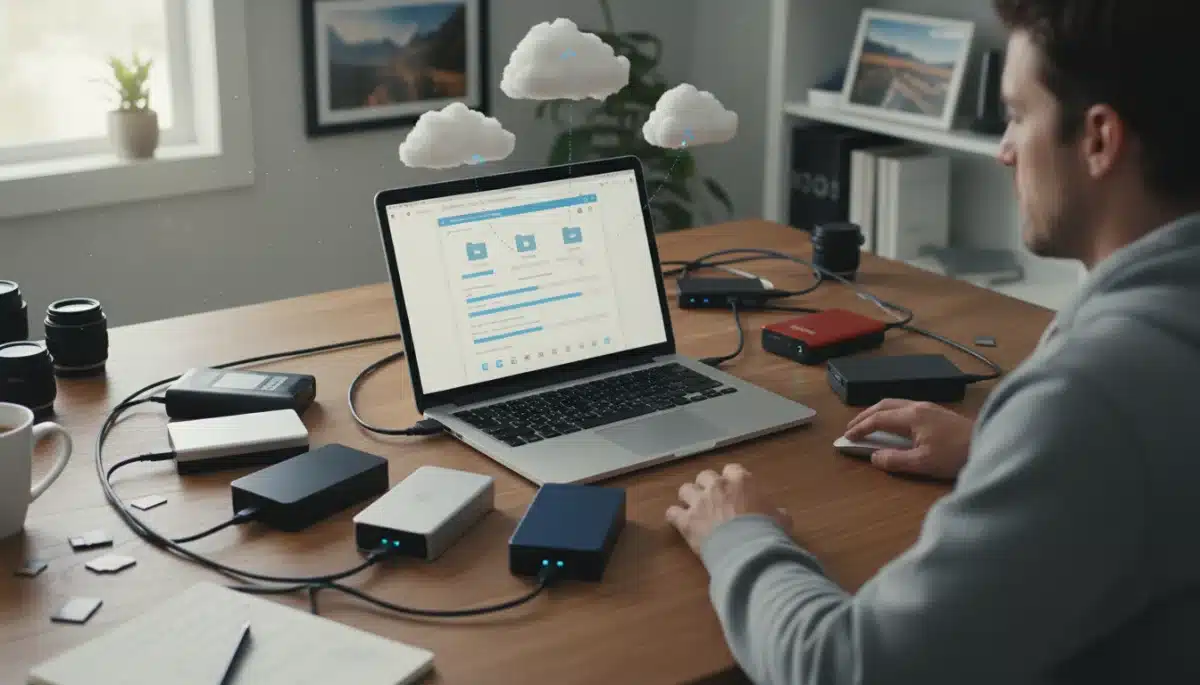
The power of tagging becomes apparent when you need to find specific content. Instead of remembering the exact date or folder, you can simply search for ‘Grandma’s 80th Birthday’ or ‘2026 Christmas‘ and instantly pull up relevant media, regardless of where it’s stored in your physical folder structure.
Tools and strategies for effective tagging
Several applications can help you manage and apply tags efficiently. Investing time in this step pays dividends in the long run, transforming your collection into a truly searchable database.
- Facial recognition: Many applications automatically identify and tag people.
- Location tagging: GPS data from cameras and phones can be used to tag locations.
- Event-based tagging: Create tags for specific events like ‘weddings,’ ‘graduations,’ or ‘holidays.’
- Subject matter tagging: Use tags for ‘landscapes,’ ‘pets,’ ‘food,’ etc.
Regularly reviewing and updating your tags can further refine your system, ensuring accuracy and continued ease of access. This proactive approach ensures your memories are not just stored, but truly discoverable.
Backup Strategies: Safeguarding Your Digital Memories
No organization system is complete without a robust backup strategy. Digital files, unlike physical photos, are susceptible to hardware failure, accidental deletion, and cyber threats. A comprehensive backup plan ensures your precious memories are protected against unforeseen circumstances.
The 3-2-1 backup rule is a widely recommended best practice: keep at least three copies of your data, store them on two different types of media, and keep one copy offsite. This multi-layered approach significantly reduces the risk of permanent data loss, providing peace of mind.
Implementing the 3-2-1 backup rule
Adhering to this rule involves a combination of local and cloud-based solutions, offering redundancy and protection against various threats. Consider setting up automated backups to simplify the process.
- Primary copy: Your main organized collection on your computer or NAS.
- Second copy (different media): An external hard drive or SSD.
- Third copy (offsite): A reputable cloud storage service (e.g., Google Photos, Amazon Photos, Dropbox, Backblaze).
Regularly test your backups to ensure they are working correctly and that you can successfully restore files if needed. This step is often overlooked but is critical to the integrity of your backup system. Automation is your friend here, making routine backups effortless.
Choosing the Right Tools: Software and Hardware for 2026
The digital landscape is constantly evolving, with new software and hardware solutions emerging to help with photo and video organization. In 2026, the market offers an array of powerful tools, from sophisticated photo management applications to high-capacity storage devices and intelligent cloud services.
When selecting software, consider features like AI-powered categorization, facial recognition, advanced search capabilities, and cross-device syncing. Popular choices include Adobe Lightroom, Apple Photos, Google Photos, and specialized digital asset management (DAM) systems for larger collections. For hardware, prioritize reliable external hard drives or Network Attached Storage (NAS) devices for local backups, and ensure they have sufficient capacity and speed.
Evaluating cloud storage options
Cloud storage is indispensable for offsite backups and accessibility across devices. Evaluate providers based on storage capacity, security features, cost, and integration with your existing workflow.
- Google Photos/Amazon Photos: Excellent for personal collections, often offering unlimited storage with certain subscriptions.
- Dropbox/OneDrive: General-purpose cloud storage with good syncing capabilities.
- Backblaze/CrashPlan: Dedicated backup services for comprehensive system backups.
The right combination of tools will depend on your specific needs, budget, and the size of your digital collection. Researching and testing different options will help you build a personalized and efficient organization ecosystem that stands the test of time.
Maintaining Your Organized Digital Library
Organization is not a one-time event; it’s an ongoing process. To keep your digital photo and video library pristine and functional, regular maintenance is essential. This involves periodically reviewing your files, incorporating new media into your system, and adapting to new technologies.
Schedule regular ‘digital decluttering’ sessions, perhaps once a month or quarterly. During these sessions, import new photos and videos, apply your established naming conventions and tags, and delete any unwanted or duplicate files. This prevents the accumulation of new clutter and ensures your system remains effective.
Tips for ongoing maintenance
Consistency is key to long-term success. Integrate these practices into your routine to avoid falling back into disorganization.
- Batch processing: Organize new media in batches rather than individually.
- Review and refine: Periodically check your folder structure and tags for improvements.
- Delete ruthlessly: Get rid of blurry, redundant, or unneeded photos and videos promptly.
- Stay updated: Keep your software and hardware current to leverage the latest features and security.
By making digital photo and video organization a regular habit, you’ll ensure your cherished memories remain easily accessible, beautifully preserved, and ready to be enjoyed at any moment, now and in the future.
| Key Strategy | Brief Description |
|---|---|
| Consolidate & Declutter | Gather all media into one central location and remove duplicates or unwanted files. |
| Structure & Naming | Implement a consistent YYYY/MM-Event folder structure and descriptive file naming. |
| Metadata & Tagging | Utilize keywords and metadata for advanced searchability and categorization. |
| Robust Backup Plan | Follow the 3-2-1 rule: three copies, two media types, one offsite. |
Frequently Asked Questions About Digital Photo & Video Organization
Begin by consolidating all photos from various devices and storage locations into one master folder. Then, use duplicate finder software to remove redundant files. After that, establish a clear folder structure, typically by year and event, and start categorizing your images systematically.
It’s recommended to back up your digital memories regularly, ideally weekly or immediately after significant events where many new photos/videos were captured. Automated backup solutions to external drives and cloud services can help ensure this process is consistent and effortless, protecting against data loss.
Reputable cloud services employ strong encryption and security measures to protect your data. While no system is 100% foolproof, using strong passwords, two-factor authentication, and choosing well-known providers significantly enhances safety. It’s often safer than relying solely on a single physical device.
Folders provide a hierarchical, physical structure to your files, like shelves in a library. Tags, or metadata, offer a more flexible, searchable categorization that allows a single photo to appear in multiple ‘categories’ (e.g., ‘birthday,’ ‘family,’ ‘2026‘). Both are crucial for comprehensive organization.
Yes, AI tools are increasingly powerful in digital photo organization. They can automatically identify faces, objects, scenes, and even locations, suggesting tags and categorizations. Many modern photo management applications integrate AI features to streamline the sorting and searching process, saving considerable time and effort.
Conclusion
Organizing thousands of digital photos and videos might initially seem like an overwhelming undertaking, but by adopting the practical solutions and best practices outlined in this 2026 guide, you can transform a chaotic collection into a beautifully structured and easily accessible archive. From consolidating and decluttering to establishing robust folder structures, leveraging metadata, implementing strong backup strategies, and choosing the right tools, each step contributes to a seamless experience. Remember, consistency in maintenance is key to long-term success. By investing time and effort now, you ensure your cherished memories are not only preserved but also readily available for you to relive and share for years to come.