Digital File Management in 2026: Comprehensive Solutions
Anúncios
Effective digital file management 2026 is crucial for personal and professional efficiency, requiring a systematic approach to naming, storing, and retrieving documents to ensure accessibility and security.
In our increasingly digital world, the sheer volume of information we manage can feel overwhelming. Staying on top of your digital documents is not just about tidiness; it’s about efficiency, security, and peace of mind. This article provides a comprehensive guide to digital file management 2026, offering practical solutions for naming, storing, and retrieving your important documents with ease.
Anúncios
Understanding the Digital Deluge: Why Management Matters
The digital age, while offering unparalleled convenience, has also brought an unprecedented accumulation of files. From personal photos and financial records to professional reports and legal documents, our digital lives are constantly expanding. Without a robust system, this abundance can quickly turn into chaos, leading to lost time, missed deadlines, and increased stress.
Anúncios
Effective digital file management is not merely a technical task; it’s a fundamental aspect of modern life organization. It impacts everything from our daily productivity to our long-term financial security. A well-organized digital space mirrors a well-organized mind, fostering clarity and reducing cognitive load.
The Cost of Disorganization
Many people underestimate the hidden costs associated with poor digital file management. These costs extend beyond mere inconvenience.
- Time Loss: Searching for misplaced files can consume hours each week, diverting time from more productive activities.
- Stress and Frustration: The inability to locate critical documents can lead to significant anxiety, especially during urgent situations.
- Security Risks: Unorganized files are often more vulnerable to security breaches, as sensitive information might be stored carelessly.
- Duplication: Without a clear system, users often create multiple copies of the same file, wasting storage space and creating version control issues.
Recognizing these challenges is the first step towards embracing a more structured approach. By investing time in setting up an effective system now, you can reap significant benefits in the years to come, ensuring your digital life is both manageable and secure.
Crafting a Coherent Naming Convention Strategy
The foundation of any successful digital file management system lies in its naming conventions. A consistent and logical naming strategy ensures that files are easily identifiable and retrievable, even years down the line. Avoid vague names like “Document1” or “Final Report.” Instead, think about what information is most critical for quick identification.
In 2026, with advanced search capabilities, precise naming remains paramount. While AI can assist, a human-readable and logical name provides an immediate context that even the most sophisticated algorithms might miss without proper metadata.
Key Elements of Effective File Naming
Consider incorporating these elements into your naming structure to maximize clarity and searchability:
- Date: Always start with the date in YYYY-MM-DD format (e.g., 2026-03-15_). This ensures chronological sorting regardless of creation or modification dates.
- Project/Client Name: Clearly identify the associated project or client (e.g., ProjectX_2026-03-15_).
- Document Type: Specify what the document is (e.g., Invoice, Report, MeetingNotes, Contract).
- Version Number: For documents undergoing revisions, use v01, v02, vFinal, etc. (e.g., ProjectX_2026-03-15_Report_v03).
- Keywords: Include relevant keywords that describe the content, making it easier to search for specific topics.
Consistency is key. Once you establish a naming convention, adhere to it strictly across all your digital files. This discipline will pay dividends in the long run, transforming your chaotic folders into an organized, easily navigable archive.
Strategic Storage Solutions: Local, Cloud, and Hybrid Approaches
Where you store your digital files is as important as how you name them. In 2026, storage options are diverse, ranging from traditional local drives to advanced cloud-based platforms and hybrid solutions. Each option presents its own set of advantages and considerations regarding accessibility, security, and cost.
The ideal storage strategy often involves a combination of these methods, tailored to your specific needs for different types of documents. Critical, frequently accessed files might reside on a local drive and also be mirrored to the cloud, for instance.
Exploring Your Storage Options
- Local Storage: This includes your computer’s hard drive, external hard drives, and network-attached storage (NAS) devices. Local storage offers fast access and complete control over your data. However, it’s vulnerable to hardware failure and physical damage, necessitating robust backup strategies.
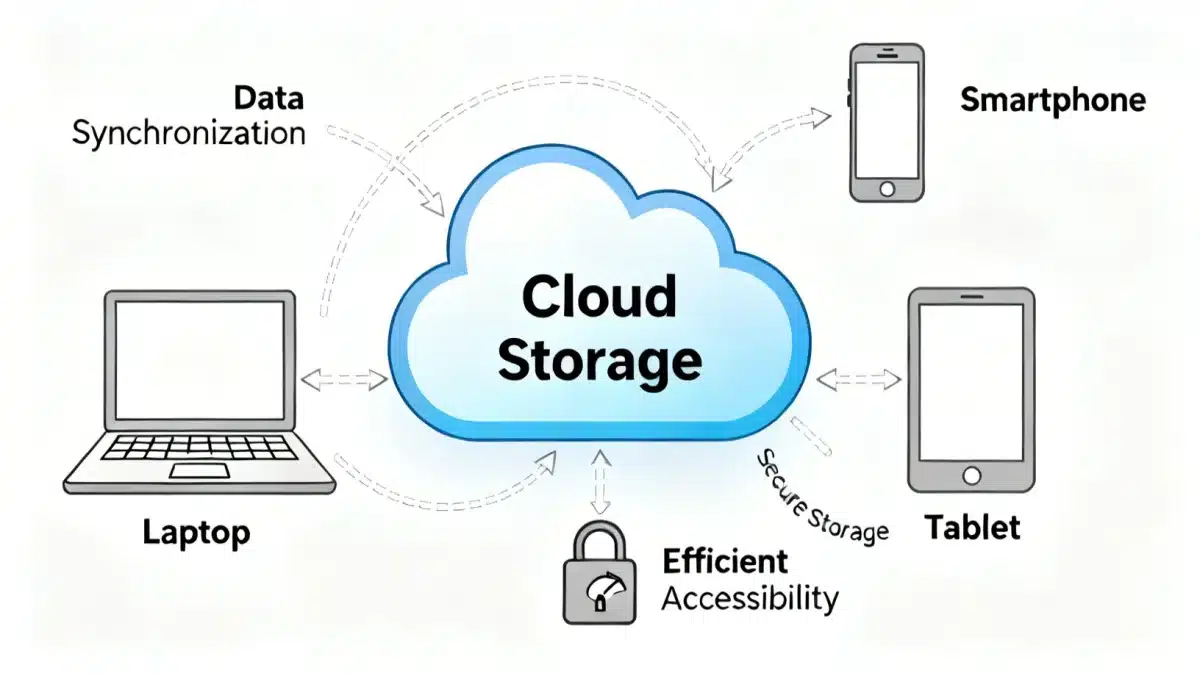
- Cloud Storage: Services like Google Drive, Dropbox, OneDrive, and specialized enterprise solutions provide scalable, accessible storage from anywhere with an internet connection. Cloud providers typically offer strong security measures and automatic backups. The main considerations are data privacy, potential subscription costs, and reliance on internet connectivity.
- Hybrid Solutions: Many users find success by combining local and cloud storage. For example, keeping active projects on a local drive for speed and backing them up to the cloud. Or using cloud storage for collaboration while maintaining local archives of completed work.
When selecting your primary storage locations, consider the sensitivity of the data, frequency of access, and the collaborative nature of your work. Always prioritize solutions that offer robust encryption and multi-factor authentication for sensitive information.
Implementing an Intuitive Folder Structure
A well-designed folder structure acts as the navigation system for your digital files. It should be intuitive, hierarchical, and easily understandable, even to someone unfamiliar with your system. Avoid creating a flat structure where all files reside in one or two large folders, as this quickly defeats the purpose of organization.
Think of your digital folders as physical filing cabinets. Each drawer (main folder) contains related categories (subfolders), and within those, specific documents. This logical progression makes finding files much more efficient.
Principles of Effective Folder Organization
When designing your folder structure, consider these guiding principles:
- Top-Level Categories: Start with broad, high-level categories that encompass major areas of your life or work (e.g., Personal, Work, Finances, Projects).
- Logical Subdivisions: Within each top-level category, create subfolders that logically break down the content further. For instance, under ‘Work,’ you might have ‘Clients,’ ‘Marketing,’ ‘Administration.’
- Consistency: Maintain a consistent structure across all your main folders. If you use ‘2026 Reports’ in one area, use a similar naming convention in others.
- Minimize Depth: While a hierarchical structure is good, avoid nesting folders too deeply. Aim for no more than 3-4 levels of subfolders to prevent excessive clicking and navigation difficulty.
- Action-Oriented Naming: Sometimes, naming folders by action or status can be helpful (e.g., ‘To Review,’ ‘Completed,’ ‘Archived’).
Regularly review and prune your folder structure. As your needs evolve, so too should your digital organization. A flexible system that can adapt to new projects and priorities will serve you best in the long term.
Mastering Retrieval: Search, Tags, and Advanced Tools
Even the most meticulously organized system is ineffective if you cannot quickly retrieve the files you need. Beyond precise naming and logical folder structures, leveraging search functions, tags, and advanced management tools is crucial for efficient retrieval in 2026. Modern operating systems and cloud platforms offer powerful search capabilities that go beyond simple filename matching.
Understanding how to utilize these features effectively can drastically cut down on time spent hunting for documents, allowing you to focus on more important tasks. It’s about working smarter, not harder, with your digital assets.
Optimizing Your Retrieval Process
- Keyword Search: Most operating systems and cloud services allow you to search not just filenames, but also content within documents. Ensure your documents contain relevant keywords, especially in the body text, to make them searchable.
- Metadata and Tags: Many tools allow you to add metadata or tags to files. These are descriptive labels that can be assigned to documents, enabling you to group and search for them based on categories, projects, or even sentiment, irrespective of their folder location.
- Advanced Search Operators: Learn to use advanced search operators (e.g., AND, OR, NOT, filetype:, date:) in your search queries. These can significantly refine your results and pinpoint specific documents more rapidly.
- Dedicated Document Management Systems (DMS): For businesses or individuals with very high volumes of documents, a dedicated DMS can provide robust indexing, version control, and workflow automation, making retrieval incredibly efficient.
Regular practice with your chosen search tools and an understanding of their capabilities will transform your ability to locate any digital file within moments. This proactive approach to retrieval ensures that your organized files are always at your fingertips.
Security and Backup: Protecting Your Digital Assets in 2026
In 2026, the importance of digital security and robust backup strategies cannot be overstated. With increasing cyber threats and the ever-present risk of hardware failure, protecting your important documents is paramount. A comprehensive digital file management system is incomplete without a strong focus on safeguarding your data.
Think of security and backup as two sides of the same coin: security prevents unauthorized access and corruption, while backups ensure recovery in case of loss. Both are essential for maintaining the integrity and availability of your digital assets.
Essential Security and Backup Practices
Implement these practices to fortify your digital defenses:
- Encryption: Encrypt sensitive files and folders, especially those stored in the cloud or on portable devices. Many operating systems offer built-in encryption tools, and third-party solutions provide additional layers of protection.
- Access Control: Use strong, unique passwords for all your accounts and enable multi-factor authentication (MFA) wherever possible. Limit access to sensitive documents to only those who absolutely need it.
- Regular Backups (3-2-1 Rule): Adhere to the 3-2-1 backup rule: keep three copies of your data, on two different types of media, with one copy offsite (e.g., local hard drive, cloud, external drive stored elsewhere). Automate backups to ensure consistency.
- Antivirus and Malware Protection: Keep your antivirus and anti-malware software up to date and run regular scans to detect and neutralize threats before they can compromise your files.
- Software Updates: Regularly update your operating system and all software. Updates often include critical security patches that protect against newly discovered vulnerabilities.
Proactive security and backup measures are not optional; they are a fundamental component of responsible digital file management. By prioritizing these aspects, you ensure that your valuable information remains safe, secure, and recoverable under any circumstances.
Maintaining Your System: Auditing and Automation
Establishing an effective digital file management system is an excellent start, but its long-term success hinges on consistent maintenance. Just like a garden, your digital files require regular tending to prevent overgrowth and disarray. This involves periodic auditing of your files and folders, along with leveraging automation tools to streamline routine tasks.
In 2026, automation is more accessible than ever, allowing you to set up rules and processes that handle repetitive tasks, freeing up your time and ensuring consistency in your system.
Strategies for System Maintenance
- Scheduled Audits: Set aside dedicated time, perhaps monthly or quarterly, to review your files. Delete unnecessary duplicates, archive old projects, and reorganize anything that has drifted out of place.
- Archive Old Projects: Move completed or inactive projects to an archive folder. This keeps your active workspace clutter-free while still retaining access to historical data when needed.
- Automated Sorting: Utilize operating system features or third-party applications that can automatically sort files into designated folders based on rules you define (e.g., move all PDF invoices to the ‘Invoices’ folder).
- Cloud Syncing: Ensure your cloud storage is syncing correctly and that all necessary files are being backed up as intended. Regularly check for sync errors.
- Version Control: For collaborative documents, use version control features in your document management system or cloud platform to track changes and prevent conflicts.
By integrating regular maintenance and automation into your routine, you can ensure that your digital file management system remains efficient, clean, and effective for years to come. This continuous effort is what truly sustains an organized digital life.
| Key Aspect | Brief Description |
|---|---|
| Naming Conventions | Consistent, logical names (YYYY-MM-DD, Project, Type) for easy identification and search. |
| Storage Solutions | Utilize local, cloud, or hybrid storage strategies based on accessibility, security, and cost. |
| Folder Structure | Intuitive, hierarchical organization with top-level categories and logical subdivisions. |
| Security & Backup | Employ encryption, MFA, and the 3-2-1 backup rule to protect digital assets. |
Frequently asked questions about digital file management
▼
The most critical first step is establishing a consistent and logical naming convention. This foundation ensures that every file has a clear identity, making it easier to locate, sort, and understand its content without needing to open it. Without this, even the best folder structure can become confusing.
▼
You should back up important digital documents regularly, ideally daily for actively changing files. For less frequently updated documents, weekly or monthly backups might suffice. Automation tools can schedule these backups, ensuring consistent data protection without manual effort, adhering to the 3-2-1 rule.
▼
Cloud storage can be secure for sensitive documents, provided you choose reputable providers with strong encryption and security protocols. Always enable multi-factor authentication (MFA) and consider encrypting files locally before uploading them for an extra layer of protection. Researching the provider’s security practices is crucial.
▼
The ‘3-2-1 backup rule’ recommends keeping three copies of your data, on two different types of media, with one copy stored offsite. This strategy minimizes the risk of data loss from single points of failure, such as hardware malfunction, theft, or natural disasters, providing robust data redundancy.
▼
To prevent file duplication, establish a strict naming convention to immediately identify existing files. Utilize file deduplication software, regularly audit your storage for duplicates, and be mindful when saving new versions of documents. Consistently saving to designated folders also helps prevent accidental copies from being created.
Conclusion
Establishing and maintaining a comprehensive digital file management 2026 system is a continuous journey, not a one-time task. By adopting consistent naming conventions, intelligent storage solutions, logical folder structures, and robust security measures, you transform digital chaos into a streamlined, efficient environment. The effort invested today in organizing your digital documents will yield substantial returns in productivity, reduced stress, and enhanced security for years to come. Embrace these practical solutions to take full control of your digital life.