The 2026 Paperless Office: Converting Documents Digitally

Anúncios
Achieving a paperless office by 2026 involves a strategic, step-by-step approach to digitizing physical documents, enhancing security, and optimizing workflows for greater efficiency and sustainability in your daily operations.
The vision of the 2026 paperless office is no longer a distant dream but an achievable reality for businesses and individuals alike. As we navigate an increasingly digital world, the imperative to convert physical documents to digital formats becomes clearer, promising enhanced efficiency, improved security, and a significant reduction in environmental impact. This guide will walk you through seven essential steps to help you transition smoothly towards a truly paperless environment.
Anúncios
Understanding the Shift to a Paperless Environment
The move towards a paperless office is more than just an organizational trend; it represents a fundamental shift in how we manage information and conduct business. In 2026, organizations are increasingly recognizing the tangible benefits of digital document management, from cost savings on printing and storage to improved accessibility and collaboration.
Anúncios
This paradigm shift is driven by advancements in technology and a growing awareness of sustainability. Companies are finding that digital documents facilitate remote work, streamline auditing processes, and provide robust solutions for data security and disaster recovery. Embracing this shift means not just digitizing old files but rethinking entire workflows.
Why Go Paperless by 2026?
By 2026, the competitive landscape will demand agility and efficiency. A paperless environment offers a distinct advantage, allowing businesses to respond faster to market changes and client needs.
- Cost Reduction: Eliminate expenses associated with paper, ink, printers, and physical storage.
- Increased Efficiency: Faster document retrieval, sharing, and processing.
- Enhanced Security: Digital documents can be encrypted, backed up, and access-controlled more effectively than physical files.
- Environmental Sustainability: Reduce your carbon footprint by minimizing paper consumption.
Ultimately, the transition to a paperless office by 2026 is about future-proofing your operations. It’s about building a resilient, adaptable, and efficient system that can thrive in a rapidly evolving digital ecosystem.
Step 1: Assess Your Current Document Landscape
Before embarking on any major digital transformation, a thorough assessment of your existing document landscape is crucial. This initial step involves identifying all types of physical documents, understanding their lifecycle, and determining their importance and retention requirements. It’s not just about what you have, but why you have it and how it’s used.
Start by categorizing your documents. Are they contracts, invoices, HR records, or historical archives? Each category may require a different approach to digitization and storage. Understanding the volume of paper documents will also help you plan for the necessary resources, whether it’s investing in high-speed scanners or engaging a professional scanning service.
Inventory and Categorization
Creating a detailed inventory is the bedrock of a successful paperless conversion. This process helps you prioritize what needs to be digitized first and what can potentially be archived or even discarded.
- Identify Document Types: Group similar documents together (e.g., financial, legal, administrative).
- Determine Retention Policies: Understand legal and regulatory requirements for how long certain documents must be kept.
- Assess Usage Frequency: Prioritize digitizing documents that are frequently accessed or shared.
This comprehensive assessment provides a clear roadmap for your digitization project, ensuring that you allocate resources effectively and avoid digitizing unnecessary documents. It also helps in establishing a logical structure for your future digital filing system.
Step 2: Develop a Comprehensive Digitization Strategy
Once you understand your document landscape, the next critical step is to develop a comprehensive digitization strategy. This involves outlining the specific processes, technologies, and timelines for converting your physical documents into digital formats. A well-defined strategy ensures a systematic and efficient transition, minimizing disruptions to your operations.
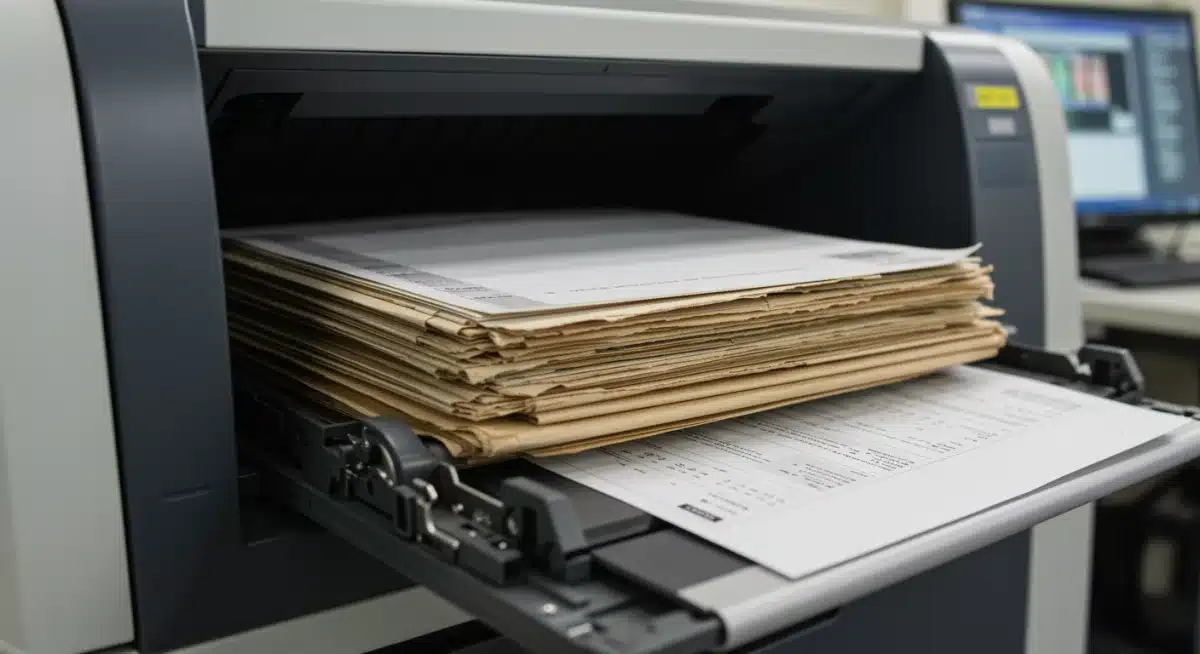
Your strategy should detail everything from the selection of scanning equipment and software to the naming conventions for digital files and the establishment of backup protocols. Consider whether to perform the digitization in-house or outsource it to a specialized vendor, weighing the costs, time, and expertise required for each option.
Choosing the Right Tools and Processes
The success of your digitization effort heavily relies on selecting the appropriate tools and defining clear processes. This is where you decide on the technology that will power your paperless initiative.
- Scanning Hardware: Invest in high-speed, reliable scanners with optical character recognition (OCR) capabilities for searchable PDFs.
- Document Management System (DMS): Choose a robust DMS for storing, organizing, and managing your digital documents securely.
- Indexing and Naming Conventions: Establish consistent rules for naming and tagging files to ensure easy retrieval.
A solid digitization strategy also includes a phased implementation plan, allowing you to test and refine your processes with smaller batches of documents before scaling up. This iterative approach helps identify and resolve potential issues early on, ensuring a smoother overall transition to a paperless office by 2026.
Step 3: Implement a Robust Document Management System (DMS)
A robust Document Management System (DMS) is the backbone of any successful paperless office. It’s not merely a storage solution; it’s a comprehensive platform designed to manage the entire lifecycle of your digital documents, from creation and storage to retrieval and archiving. Implementing a DMS is pivotal for maintaining organization, security, and accessibility in your digital environment.
When selecting a DMS, consider its scalability, integration capabilities with existing software, and user-friendliness. The system should offer features like version control, audit trails, and advanced search functions to truly enhance your document management. A good DMS will transform how your team interacts with information, making collaboration seamless and efficient.
Key Features of an Effective DMS
To maximize the benefits of going paperless, your DMS should possess certain core functionalities that support efficient document handling and security.
- Centralized Storage: A single, secure repository for all digital documents.
- Version Control: Track changes and revert to previous versions if needed.
- Access Control and Permissions: Define who can view, edit, or delete documents.
- Advanced Search: Quickly locate documents using keywords, metadata, or content.
- Workflow Automation: Automate document routing and approval processes.
By carefully selecting and implementing a DMS that aligns with your organizational needs, you lay a strong foundation for a truly paperless office. This system will not only store your digitized documents but also optimize your workflows and enhance data security, making the transition to a paperless environment by 2026 both practical and highly beneficial.
Step 4: Digitize Your Physical Documents Systematically
With your assessment complete, strategy defined, and DMS in place, it’s time to systematically digitize your physical documents. This step is often the most labor-intensive but is crucial for achieving a truly paperless environment. A systematic approach ensures that no important document is overlooked and that all digitized files are properly indexed and stored.
Begin with a pilot project, digitizing a small batch of documents to test your processes and make any necessary adjustments. This helps refine your scanning techniques, indexing methods, and quality control procedures before tackling larger volumes. Consistency is key here; ensure that all team members follow the same guidelines for scanning and metadata entry.
Best Practices for Document Scanning
Effective scanning goes beyond simply feeding paper into a machine. Adhering to best practices ensures high-quality digital files that are easily searchable and accessible.
- Preparation: Remove staples, paper clips, and sticky notes. Repair any torn pages.
- Quality Control: Review scanned images for clarity, completeness, and orientation.
- OCR Implementation: Utilize Optical Character Recognition (OCR) technology to make scanned documents searchable.
- Metadata Tagging: Add relevant metadata (dates, categories, keywords) to each file for easy retrieval.
Digitizing documents systematically not only converts physical files into digital ones but also cleans up your archives, making information more accessible and less prone to loss. This meticulous process is fundamental to realizing the full potential of a paperless office by 2026, ensuring that your digital documents are as valuable, if not more, than their physical counterparts.
Step 5: Secure Your Digital Documents and Data
Moving to a paperless office significantly enhances data security, but only if robust security measures are put in place. Digital documents, while offering flexibility, are also susceptible to cyber threats if not properly protected. Securing your digital documents and data is paramount to maintaining trust, complying with regulations, and safeguarding sensitive information.
This step involves implementing a multi-layered security approach, including encryption, access controls, regular backups, and employee training on data security best practices. Consider compliance requirements such as HIPAA, GDPR, or other industry-specific regulations that dictate how sensitive data must be handled and protected.
Essential Security Protocols
A comprehensive security strategy should cover various aspects of data protection, from preventing unauthorized access to ensuring data recovery in case of a breach.
- Encryption: Encrypt documents both at rest and in transit to protect against unauthorized access.
- Access Controls: Implement role-based access to ensure only authorized personnel can view or modify specific documents.
- Regular Backups: Schedule automated backups to multiple locations (cloud, external drives) to prevent data loss.
- Disaster Recovery Plan: Develop a plan to restore data and operations quickly in the event of a system failure or cyberattack.
- Employee Training: Educate staff on cybersecurity threats, phishing, and safe document handling practices.
By prioritizing the security of your digital documents, you not only protect your organization from potential breaches but also build a resilient and trustworthy paperless environment. This commitment to security is a cornerstone of a successful paperless office by 2026, ensuring that your digital transformation is both efficient and safe.
Step 6: Integrate Digital Workflows and Processes
Converting physical documents to digital is only half the battle; the true power of a paperless office lies in integrating digital workflows and processes throughout your organization. This step involves redesigning how tasks are performed to leverage the capabilities of your DMS and digital tools, thereby maximizing efficiency and collaboration.
Look for opportunities to automate routine tasks, such as document routing for approvals, data entry, and report generation. Digital workflows can significantly reduce processing times, minimize errors, and free up valuable employee time for more strategic activities. This integration fosters a more agile and responsive operational environment.
Optimizing Workflows with Digital Tools
Leveraging digital tools to streamline processes is crucial for realizing the full potential of a paperless office. This involves identifying bottlenecks and implementing solutions that enhance productivity.
- Automated Approvals: Set up digital approval paths for contracts, invoices, and other documents.
- E-signatures: Integrate electronic signature solutions for faster document signing.
- Cloud Collaboration: Utilize cloud-based platforms for real-time co-authoring and sharing of documents.
- Data Integration: Connect your DMS with other business applications (CRM, ERP) to ensure seamless data flow.
Integrating digital workflows and processes transforms your organization from merely storing digital files to actively operating in a digital-first environment. This strategic shift is vital for achieving the efficiency and agility expected of a paperless office by 2026, enabling your team to work smarter, not harder.
Step 7: Foster a Culture of Digital Adoption and Continuous Improvement
The final, yet ongoing, step in achieving a paperless office is fostering a culture of digital adoption and continuous improvement. Technology alone cannot drive transformation; it requires people to embrace new ways of working. This involves comprehensive training, ongoing support, and a commitment to continually refining your digital processes.
Encourage feedback from employees on what works well and what could be improved. Celebrate successes, no matter how small, to build momentum and reinforce the benefits of the paperless initiative. A culture that values digital adoption will naturally seek out new tools and methods to further enhance efficiency and sustainability.
Training and Sustaining Digital Habits
Effective training and consistent reinforcement are essential for ensuring that digital habits become second nature for all employees.
- Comprehensive Training Programs: Provide clear, hands-on training for all new systems and processes.
- Ongoing Support: Establish a support system to address questions and troubleshoot issues.
- Feedback Mechanisms: Create channels for employees to provide input and suggest improvements.
- Lead by Example: Leaders should actively use digital tools and promote paperless practices.
By fostering a culture that embraces digital adoption and continuous improvement, your organization will not only achieve a paperless office by 2026 but also cultivate an environment of innovation and adaptability. This sustained effort ensures that the benefits of your digital transformation are realized long-term, making your operations more efficient, secure, and environmentally friendly.
| Key Step | Brief Description |
|---|---|
| Assess Documents | Identify types, volume, and retention needs of all physical documents. |
| Digitization Strategy | Plan processes, select tools, and define timelines for conversion. |
| Implement DMS | Set up a robust Document Management System for storage and workflow. |
| Secure Data | Implement encryption, access controls, and backups for digital security. |
Frequently Asked Questions About Going Paperless
▼
The primary challenges often include the initial time investment for scanning, overcoming employee resistance to change, ensuring data security, and selecting the right document management system. Adequate planning and training are crucial to mitigate these hurdles effectively.
▼
The timeline varies significantly based on the volume of physical documents and the size of the organization. Small businesses might take a few months, while larger enterprises could require a year or more. A phased approach is often recommended for a smoother transition.
▼
Yes, when implemented correctly, a paperless office can be significantly more secure. Digital documents can be encrypted, access-controlled, backed up, and monitored more effectively than physical files, which are vulnerable to theft, fire, or misplacement.
▼
Essential equipment includes high-speed document scanners with OCR (Optical Character Recognition) capabilities, powerful computers for processing, and reliable network infrastructure. A robust Document Management System (DMS) software is also critical for organizing and managing the digitized files.
▼
Encourage adoption through comprehensive training, highlighting the benefits of efficiency and convenience. Provide continuous support, address concerns openly, and lead by example. Celebrating small victories and recognizing efforts can also foster a positive environment for change.
Conclusion
The journey to a paperless office by 2026 is a strategic investment in efficiency, security, and sustainability. By systematically assessing your documents, developing a clear digitization strategy, implementing a robust DMS, and securing your digital assets, you lay the groundwork for a transformative shift. Integrating digital workflows and fostering a culture of continuous improvement ensures that the benefits of going paperless are fully realized and sustained. This comprehensive approach not only streamlines operations but also positions your organization for future growth and adaptability in an increasingly digital world, making the paperless office a powerful reality.