Decluttering Your Digital Life for 2026: 30-Day Inbox Zero Challenge

Anúncios
Decluttering Your Digital Life for 2026: A 30-Day Challenge to Achieve 100% Inbox Zero offers a structured approach to reclaim control over your digital environment, fostering a more organized and productive daily routine.
Anúncios
Are you feeling overwhelmed by a constantly overflowing inbox and a chaotic digital landscape? The year 2026 is the perfect time to commit to a significant change. Our Decluttering Your Digital Life for 2026: A 30-Day Challenge to Achieve 100% Inbox Zero is designed to guide you through a systematic process, transforming your digital habits and bringing unprecedented clarity and efficiency to your daily routine.
Anúncios
Understanding the Digital Clutter Epidemic
In our increasingly connected world, digital clutter has become an almost unavoidable byproduct of modern life. From an endless stream of emails to disorganized files and an ever-growing collection of unused apps, our digital spaces often mirror the physical clutter we strive to eliminate. This digital chaos isn’t just an aesthetic issue; it significantly impacts our productivity, mental well-being, and even our ability to focus. The constant notifications and the sheer volume of information can lead to digital fatigue, making it harder to concentrate on what truly matters.
Recognizing the extent of this digital clutter is the first crucial step toward addressing it. Many of us have accumulated years’ worth of digital debris, often without realizing the cumulative effect it has on our daily lives. The goal of achieving Inbox Zero, while seemingly daunting, is not just about having an empty email inbox; it’s a philosophy that extends to all aspects of your digital presence, promoting a state of organized readiness and mental calm.
The hidden costs of digital disarray
Digital disorganization comes with several tangible and intangible costs that often go unnoticed. These include lost time searching for files, missed important communications, and a pervasive sense of being constantly behind. Psychologically, it contributes to stress and anxiety, creating a feeling of being perpetually overwhelmed.
- Time Loss: Wasting valuable minutes (or hours) every day searching for specific emails or documents.
- Missed Opportunities: Overlooking critical information or deadlines buried under a mountain of digital noise.
- Increased Stress: The cognitive load of managing an unorganized digital life contributes to mental fatigue.
- Reduced Productivity: Constant distractions and inefficient workflows hinder effective task completion.
Ultimately, understanding the pervasive nature and the real-world consequences of digital clutter provides the motivation needed to embark on a comprehensive decluttering journey. This 30-day challenge is not merely about tidying up; it’s about establishing sustainable habits that will serve you well beyond 2026.
Setting the Stage: Preparation for Your 30-Day Challenge
Before diving headfirst into the decluttering process, a little preparation can go a long way in ensuring your success. Think of this as laying the groundwork for a successful digital transformation. This initial phase involves gathering your tools, understanding your current digital landscape, and committing to the process. Without a clear understanding of your starting point and the resources available, the challenge can become more difficult than it needs to be.
Preparation isn’t just about technical aspects; it’s also about mental readiness. Committing to a 30-day challenge requires discipline and consistency. By setting realistic expectations and acknowledging the effort involved, you’re better equipped to handle potential setbacks and maintain motivation throughout the month. This foundational stage is critical for building momentum.
Essential tools and mindset
To effectively tackle digital clutter, you’ll need a few key tools and a focused mindset. These don’t necessarily involve expensive software but rather smart strategies and a willingness to change old habits. Start by identifying the main areas of digital accumulation in your life.
- Backup Solutions: Ensure all important data is backed up before you start deleting anything. Cloud services or external hard drives are excellent options.
- Password Manager: A robust password manager can help secure and streamline access to your various accounts.
- Digital Shredder/Deleter: For sensitive information, consider tools that securely erase data.
- Designated Time: Allocate a specific block of time each day for the challenge. Consistency is key.
Adopting a ‘less is more’ philosophy will also greatly assist your efforts. The goal is not just to clean up but to simplify your digital existence, making it more functional and less distracting. This preparatory stage sets the tone for a productive and successful 30-day journey.
Week 1: Conquering the Email Overload
The first week of your digital declutter 2026 challenge is dedicated to the most notorious culprit of digital chaos: your email inbox. Achieving Inbox Zero here means processing every email, not just letting it sit unread. This week demands a systematic approach to tackle the backlog, unsubscribe from unnecessary newsletters, and establish new habits for ongoing email management. It’s often the most challenging part, but also the most rewarding, as a clear inbox offers immediate psychological relief.
Start by acknowledging the sheer volume you might be facing. It can be overwhelming, but breaking it down into manageable daily tasks will make it achievable. The key is to avoid simply moving emails around; instead, you’ll be making definitive decisions about each one. This proactive stance is what truly sets Inbox Zero apart from merely archiving.
Implementing the 4D method for emails
The 4D method—Delete, Do, Delegate, Defer—is a highly effective strategy for processing emails quickly and efficiently. Apply this method to every email that comes into your inbox, aiming to touch each email only once.
- Delete: Immediately trash any junk mail, spam, or emails that are no longer relevant. Don’t hesitate.
- Do: If an email requires a quick response or action (under two minutes), do it immediately.
- Delegate: If a task is better suited for someone else, forward the email and remove it from your inbox.
- Defer: For emails requiring more time or future action, move them to a dedicated ‘Action’ folder or integrate them into your task management system.
Additionally, dedicate time to unsubscribing from newsletters and promotional emails you no longer read. Use tools like Unroll.me or simply click the unsubscribe link at the bottom of the emails. By the end of this week, your inbox should feel significantly lighter, and you’ll have a clear strategy for maintaining this newfound order.
Week 2: Taming Your Digital Files and Documents
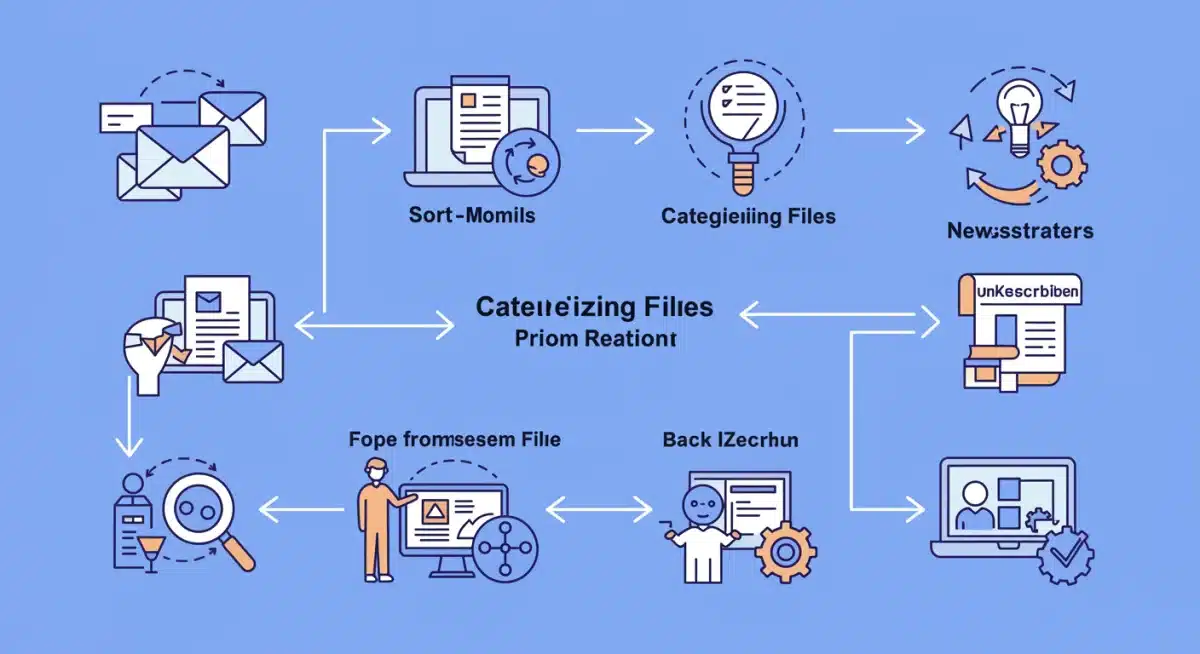
With your email inbox under control, week two shifts focus to your digital files and documents. This includes everything from desktop clutter to disorganized cloud storage and old downloads. The aim is to create a logical, easily navigable file structure that supports quick retrieval and minimizes duplication. This step is crucial for long-term efficiency and reducing the stress associated with searching for important information.
Many of us have a habit of saving files haphazardly, creating a digital labyrinth over time. This week requires a methodical approach, starting with a comprehensive overview of your current file storage. Don’t be afraid to delete old, irrelevant, or duplicate files. The less digital baggage you carry, the faster and more efficient your systems will become.
Creating a logical folder structure
A well-defined folder structure is the backbone of digital file organization. This involves categorizing your files in a way that makes intuitive sense to you, whether by project, date, or type. Consistency is paramount to maintaining this structure over time.
- Top-Level Categories: Start with broad categories like ‘Work,’ ‘Personal,’ ‘Finances,’ ‘Photos,’ etc.
- Subfolders: Within each category, create more specific subfolders (e.g., ‘Work > Project X > Reports’).
- Consistent Naming Conventions: Use a consistent naming scheme for files and folders (e.g., ‘YYYY-MM-DD_DocumentTitle’).
- Regular Review: Schedule monthly or quarterly reviews to keep your file system clean.
Take this week to clean up your desktop, moving all files into their appropriate folders. Delete old downloads and empty your recycle bin regularly. Also, review your cloud storage (Google Drive, Dropbox, OneDrive) and apply the same organizational principles. This systematic approach ensures that every file has a home, making it easy to find and manage.
Week 3: Optimizing Your Devices and Applications
As you progress into week three, the focus expands to optimizing your digital devices and the applications that run on them. This involves decluttering your smartphone, tablet, and computer by removing unused apps, organizing your home screens, and managing notifications. A streamlined device experience contributes significantly to reduced digital distraction and enhanced overall productivity, aligning perfectly with the goals of digital declutter 2026.
Many apps are downloaded on a whim and then forgotten, consuming storage space and potentially running in the background, draining battery life and data. This week is about being intentional with the technology you use daily. Evaluate each app for its necessity and utility, and don’t hesitate to remove those that no longer serve a purpose.
Streamlining your digital toolbox
An efficient digital toolbox means having only the essential apps and keeping them well-organized. This not only frees up space but also reduces visual clutter and the temptation to endlessly scroll through unused applications.
- App Audit: Go through all your devices and delete apps you haven’t used in the last 30-60 days.
- Home Screen Organization: Organize your most frequently used apps into logical folders on your home screens. Limit the number of screens.
- Notification Management: Turn off notifications for non-essential apps to minimize interruptions.
- Software Updates: Ensure your operating systems and critical applications are up to date for optimal performance and security.
Consider using app launchers or search functions instead of relying solely on visual icons. This week’s efforts will result in faster-performing devices, less distraction, and a more intentional use of your digital tools, contributing to a calmer and more focused digital life.
Week 4: Digital Privacy, Security, and Maintenance
The final week of your Decluttering Your Digital Life for 2026 challenge is dedicated to crucial aspects often overlooked: digital privacy, security, and ongoing maintenance. While decluttering is about removal and organization, this week focuses on protecting what remains and establishing routines to prevent future clutter. A secure and well-maintained digital environment is fundamental for peace of mind and long-term digital health.
In an era of increasing cyber threats and data breaches, proactive measures are non-negotiable. This week encourages you to review your security practices, update your privacy settings, and set up automated maintenance tasks. These steps are not just about cleaning up; they are about building a resilient and secure digital foundation for your future.
Fortifying your digital defenses
Protecting your digital assets involves a multi-faceted approach, from strong passwords to understanding your online footprint. This is your chance to review and strengthen all aspects of your digital security.
- Password Audit: Update weak or old passwords, using a password manager to create strong, unique ones for each account.
- Two-Factor Authentication (2FA): Enable 2FA wherever possible for an extra layer of security.
- Privacy Settings Review: Check privacy settings on social media, email, and other online accounts. Limit data sharing.
- Software Security: Ensure your antivirus/anti-malware software is up-to-date and running regular scans.
- Data Backup Schedule: Automate regular backups of critical files to prevent data loss.
Beyond security, establish a routine for ongoing digital maintenance. This could include a weekly email sweep, a monthly file review, or a quarterly app audit. By integrating these habits into your routine, you ensure that your digital environment remains clean, secure, and optimized, preventing the return of overwhelming clutter.
Sustaining Your Digital Zen Beyond 30 Days
Completing the 30-day challenge is a significant achievement, but the true victory lies in sustaining your newfound digital zen. Decluttering is not a one-time event but an ongoing process of mindful digital engagement. This section focuses on establishing habits and routines that will help you maintain your organized digital life and prevent the accumulation of future clutter, ensuring your Inbox Zero status remains a reality.
The digital world constantly evolves, bringing new tools, platforms, and information streams. Therefore, your approach to digital organization must also be dynamic. By integrating small, consistent actions into your daily and weekly routines, you can avoid reverting to old habits and keep your digital environment clean and efficient without feeling overwhelmed.
Implementing daily and weekly digital hygiene
Just as you maintain physical hygiene, digital hygiene requires regular attention. These small, consistent efforts are far more effective than sporadic, massive cleanup operations.
- Daily Email Sweep: Dedicate 15-30 minutes each morning or evening to process your inbox using the 4D method.
- Weekly File Review: Spend a short time each week categorizing new downloads and clearing your desktop.
- App & Notification Check: Periodically review your app usage and notification settings.
- Digital Downtime: Schedule tech-free periods to reduce digital fatigue and encourage mindful usage.
- Continuous Learning: Stay informed about new tools and strategies for digital organization and security.
By making these practices a regular part of your routine, you’ll find that maintaining a decluttered digital life becomes second nature. This ongoing commitment ensures that the benefits of your 30-day challenge—increased productivity, reduced stress, and enhanced focus—continue to enrich your life well into 2026 and beyond. Embrace the journey of continuous improvement and enjoy the enduring peace of a well-organized digital world.
| Key Aspect | Brief Description |
|---|---|
| Email Management | Systematic processing using the 4D method to achieve Inbox Zero. |
| File Organization | Creating logical folder structures and consistent naming conventions for digital files. |
| Device Optimization | Auditing and managing applications, home screens, and notifications on all devices. |
| Security & Maintenance | Strengthening passwords, enabling 2FA, and establishing regular backup routines. |
Frequently Asked Questions About Digital Decluttering
Inbox Zero is an email management philosophy aimed at keeping your email inbox empty or almost empty at all times. It’s not about reading every email instantly, but about processing each one by either deleting, doing, delegating, or deferring it, ensuring nothing lingers unsettled.
While this challenge provides a 30-day framework for an initial deep clean, true digital decluttering is an ongoing process. The 30 days establish habits, but continuous maintenance and mindful digital practices are essential for long-term success and to prevent future clutter accumulation.
The primary benefits include increased productivity due to less time spent searching, reduced stress and anxiety from digital overload, improved focus, and enhanced digital security. It creates a calmer, more efficient digital environment that supports your overall well-being.
Yes, it’s generally safe to delete old, irrelevant files and emails. However, it’s crucial to back up any important data before starting. For very sensitive information, consider using secure deletion tools. Always review carefully before permanently removing items.
Preventing clutter requires consistent digital hygiene. Implement daily email processing, weekly file reviews, regular app audits, and mindful online habits. Unsubscribe from unwanted newsletters promptly and maintain strong digital security practices to keep your digital space clean.
Conclusion
Embarking on the Decluttering Your Digital Life for 2026: A 30-Day Challenge to Achieve 100% Inbox Zero is more than just a temporary clean-up; it’s an investment in your future productivity, mental clarity, and overall well-being. By systematically addressing email overload, organizing files, optimizing devices, and strengthening digital security, you lay the groundwork for a more efficient and less stressful digital existence. The journey doesn’t end after 30 days; it marks the beginning of sustainable habits that will empower you to navigate the ever-evolving digital landscape with confidence and calm. Embrace these changes, and experience the profound benefits of a truly decluttered digital life.